
Kitchen Display System for Restaurantsby Boss It
A printer ticket and a shouted order are not a kitchen management system. Boss It is.
Boss It’s kitchen display system is built for restaurant groups across the UK and Ireland. Whether you run a QSR chain, a group of cafes, or a casual dining brand, Boss It replaces paper tickets and verbal communication with a fully connected kitchen management system, routing every order to the right station, in real time, the moment it is placed.










More orders, fresher pizzas: How Boss It has helped Fired Up Pizza surpass kitchen capacity
What is aKitchen Display System?
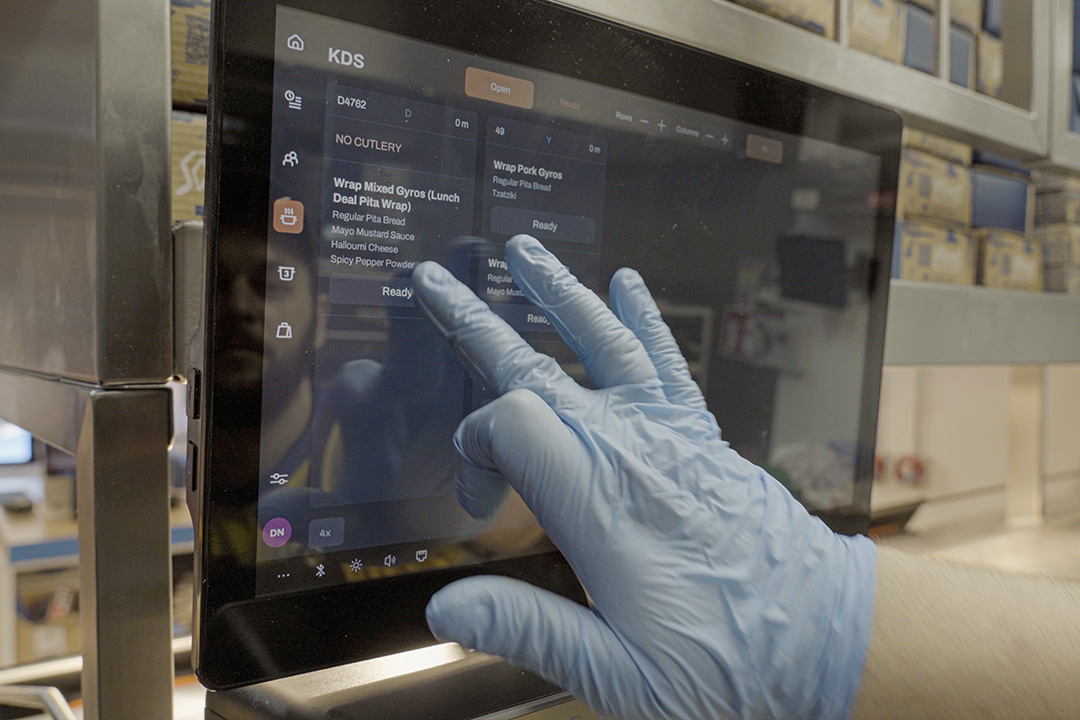
A kitchen display system – or KDS – is a screen-based order management system mounted at kitchen stations that replaces printed tickets with a live, digital feed of incoming orders. The best kitchen display systems go further than simply showing orders: they prioritise tickets, split orders by station, connect to every ordering channel, and give operators real-time visibility of kitchen performance.
For restaurant groups managing multiple sites and multiple ordering channels, a disconnected kitchen is one of the most damaging operational bottlenecks in the business. Orders arriving from the POS, from delivery platforms, and from kiosks through different systems – or worse, on paper – create delays, errors, and inconsistency that compound across every service.
Boss It’s kitchen management system solves this end to end, connecting every order source to every kitchen station in one native platform built specifically for hospitality.
What a Better Kitchen Display System Means for Your Restaurant Business
Get Every Order to the Right Station Instantly
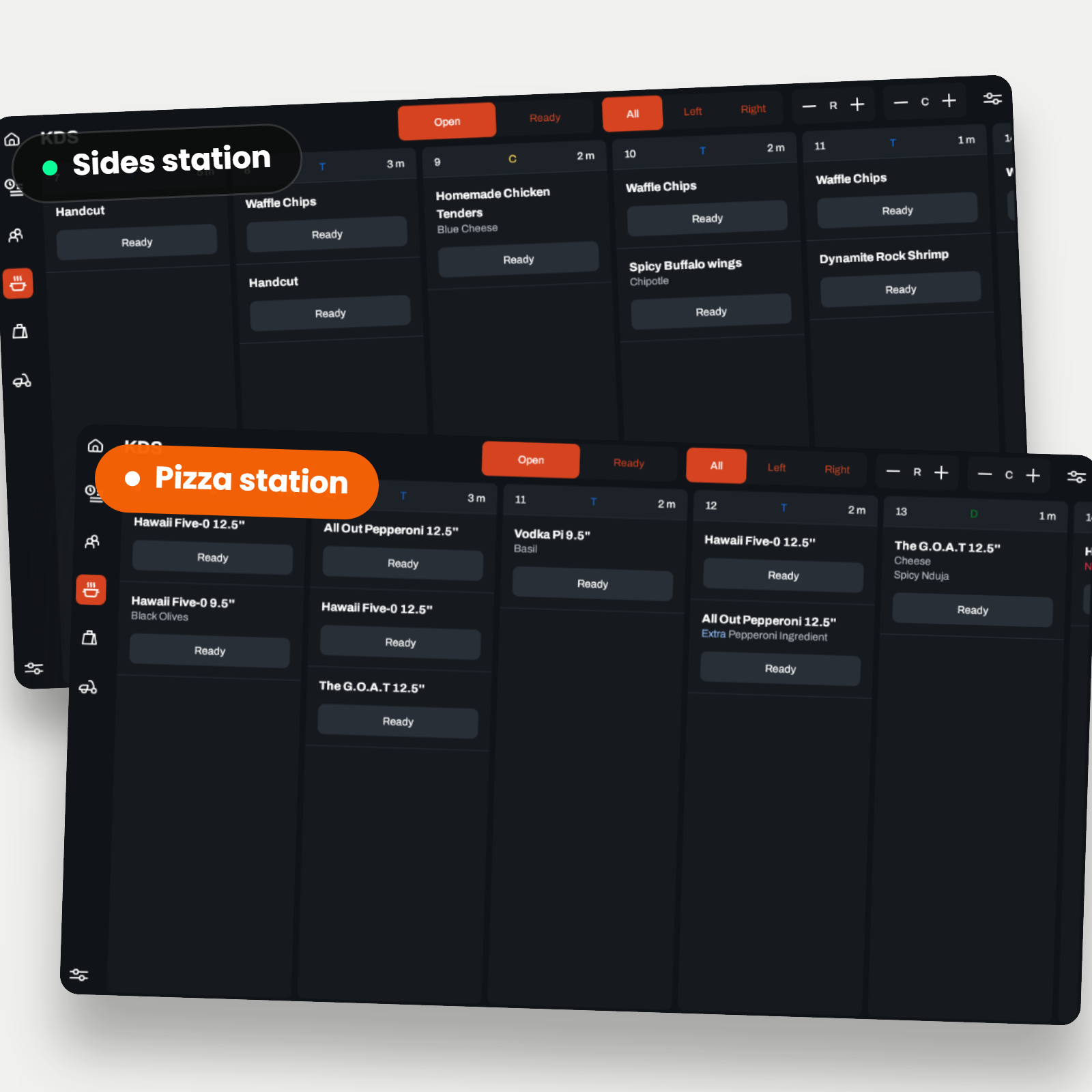
The moment an order is placed, whether through the POS, a kiosk, the branded app, the website, or a third-party delivery platform, Boss It routes it directly to the relevant kitchen station. No manual intervention, no printed tickets, no orders sitting unactioned on a tablet.
Each station sees only what it needs to see. Orders are split automatically: hot food to the grill station, cold drinks to the bar, desserts to the dessert station. Your kitchen works in parallel, not in sequence, and service speeds up across the board.
Reduce Order Prep Time and Increase Kitchen Capacity
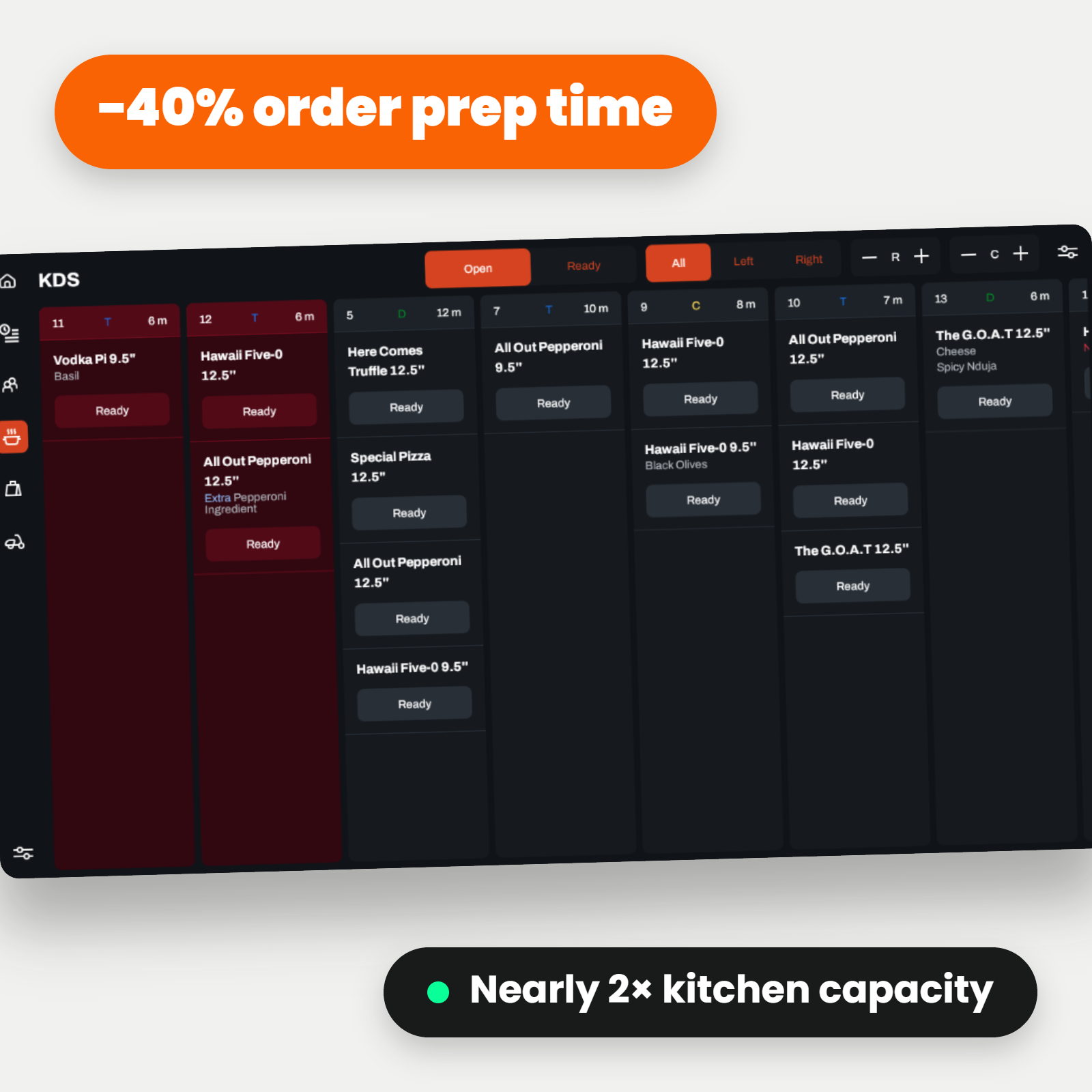
Customers using Boss It's KDS have reduced order prep time by 40%, nearly doubling kitchen capacity. When orders are clearly displayed, correctly prioritised, and routed to the right station without manual handling, your kitchen team spends less time managing information and more time cooking.
For restaurant groups, this means more covers served per service across every site, without increasing headcount or compromising quality.
Eliminate Order Errors Before They Reach the Customer
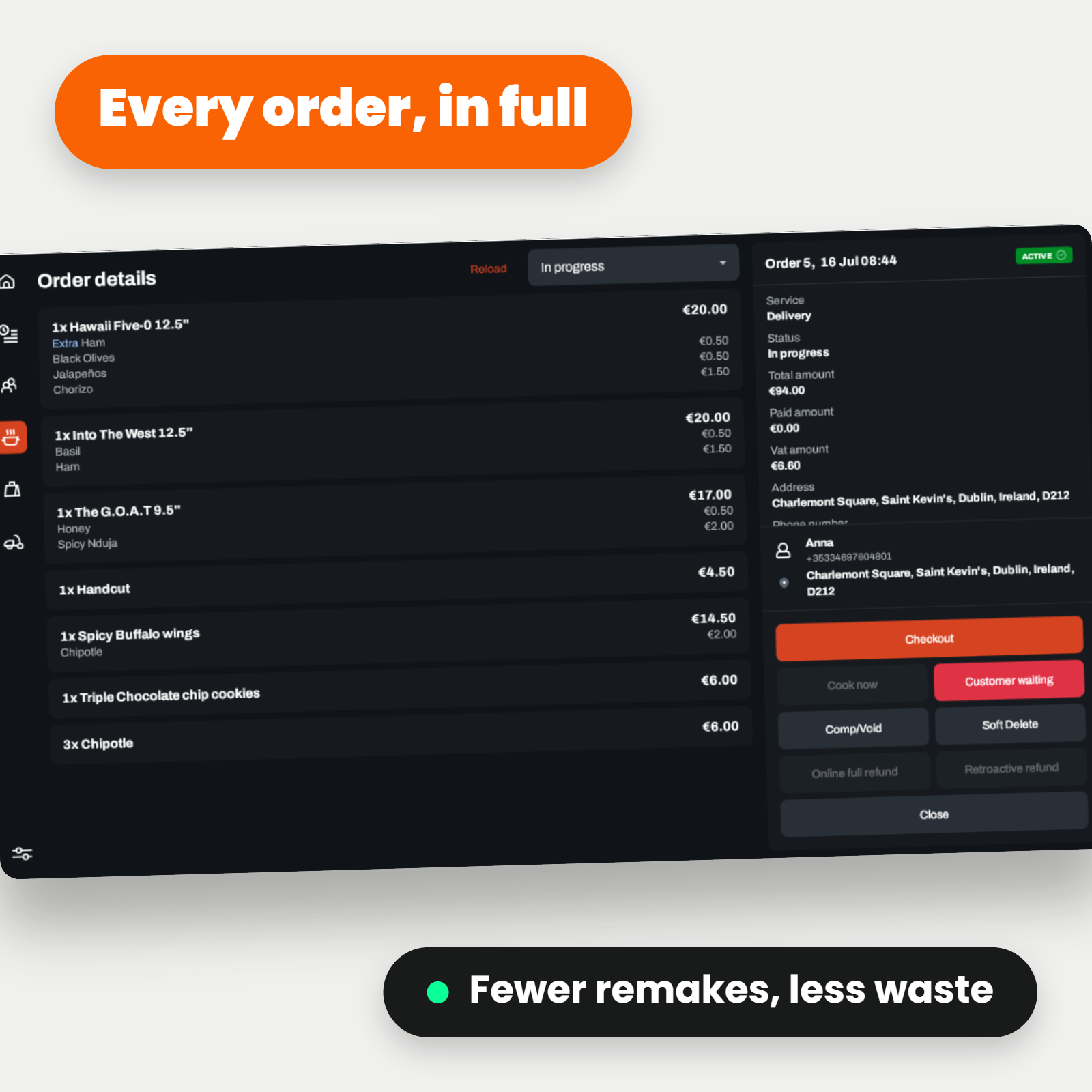
Most order errors in a restaurant kitchen happen at the point of communication: a misheard instruction, an illegible ticket, an order lost in the noise of a busy service. Boss It's kitchen display system removes these failure points entirely. Every order is displayed clearly, in full, exactly as it was placed, with no ambiguity and no interpretation required.
Fewer errors means fewer remakes, less food waste, and fewer customer complaints, all of which directly impact your margins.
Keep Your Kitchen in Control at Peak Times
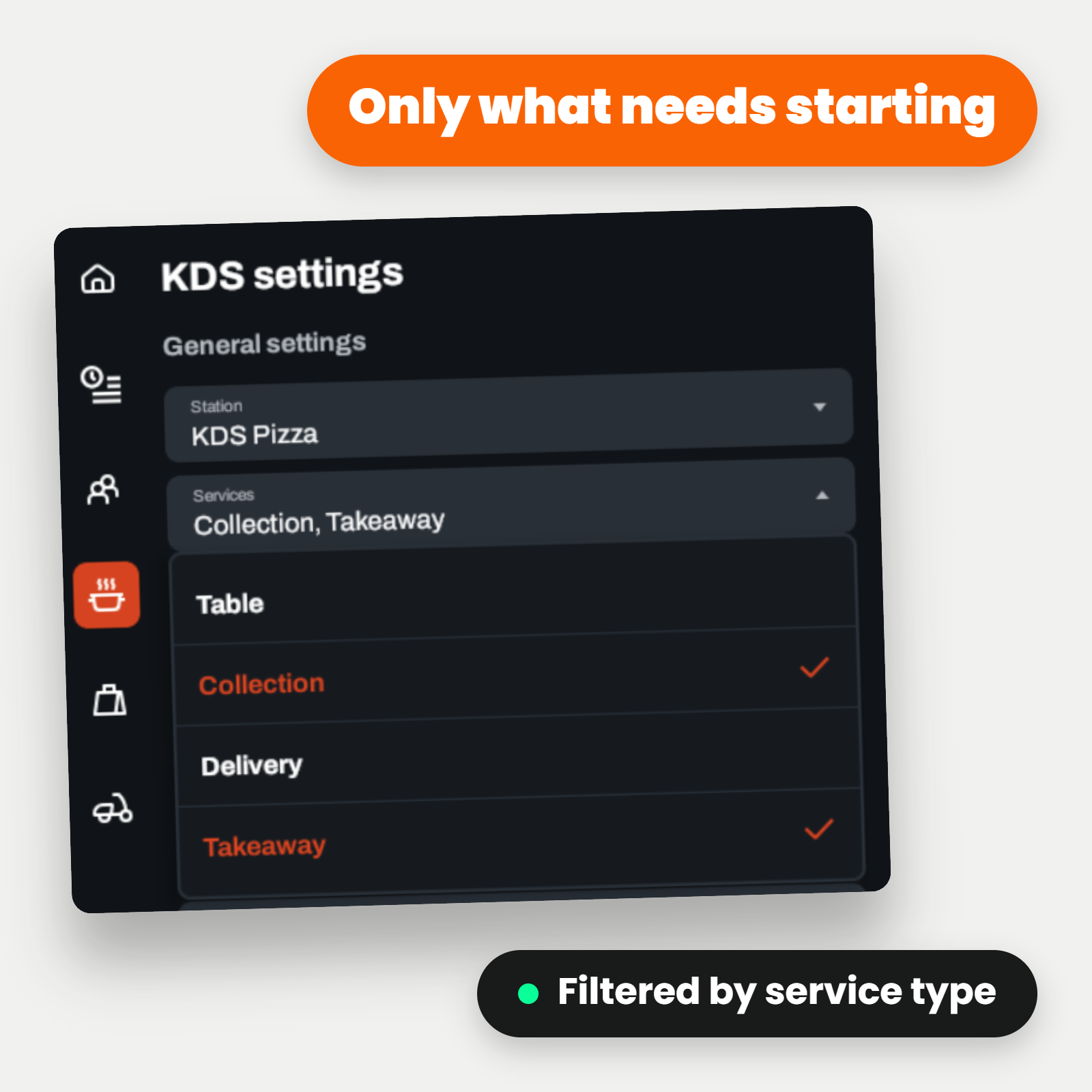
During peak service, the biggest risk is losing visibility of what is happening across the kitchen. Boss It's KDS shows only the orders that need to be started, reducing screen clutter and keeping your team focused. Orders are prioritised automatically, so your kitchen always knows what needs to happen next, even when the volume is high.
Delivery, collection, and table orders are filtered separately, giving each station a clean, relevant view of its workload at all times.
Never Miss an Order, Regardless of Channel
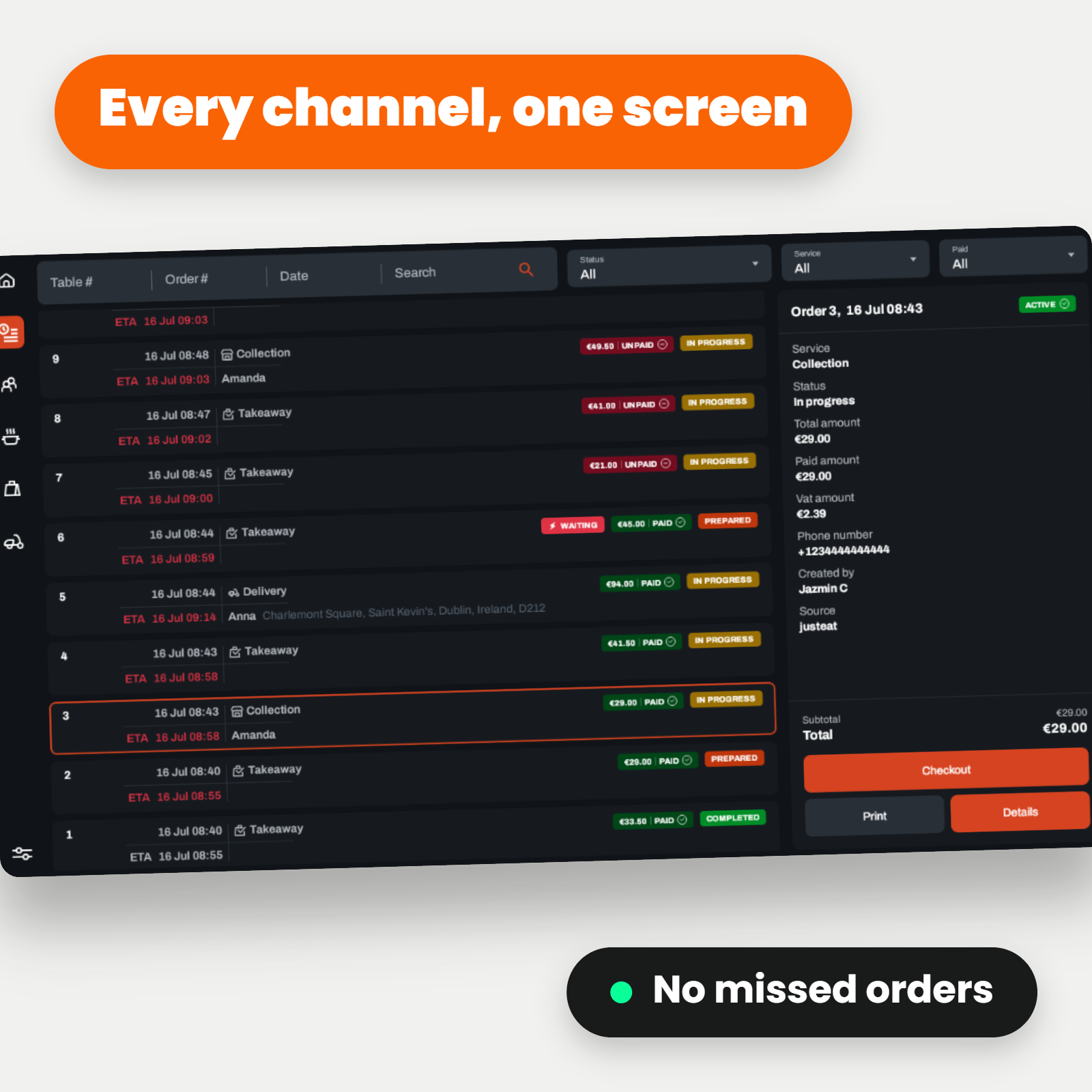
For restaurant groups managing in-house orders alongside Just Eat, Deliveroo, and Uber Eats, the risk of a missed order increases with every additional channel. Boss It consolidates every order source into the kitchen display system – so whether an order comes in through the POS, a kiosk, or a third-party platform, it appears on the KDS the moment it is confirmed.
Track Kitchen Performance Across Every Site
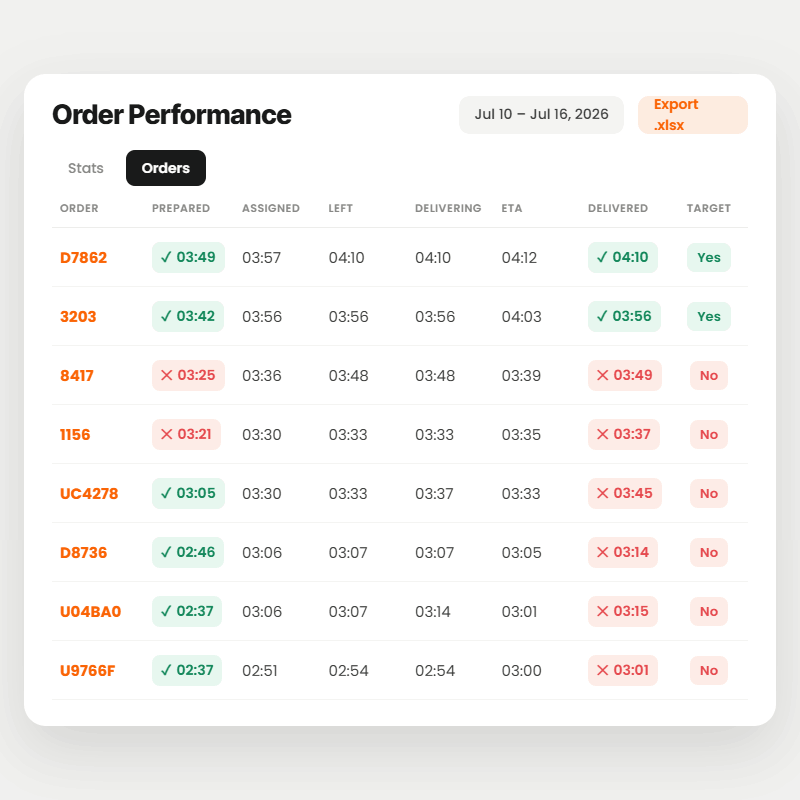
Boss It's kitchen management system feeds prep time and order completion data back into the operations hub, giving multi-site operators visibility of kitchen performance across every location. Identify which sites are slowest during peak periods, where order errors are most frequent, and where operational changes will have the most impact.
For franchise groups and multi-site operators, this means consistent kitchen standards are measurable, not just aspirational.
Connect the Kitchen to Your Whole Operation
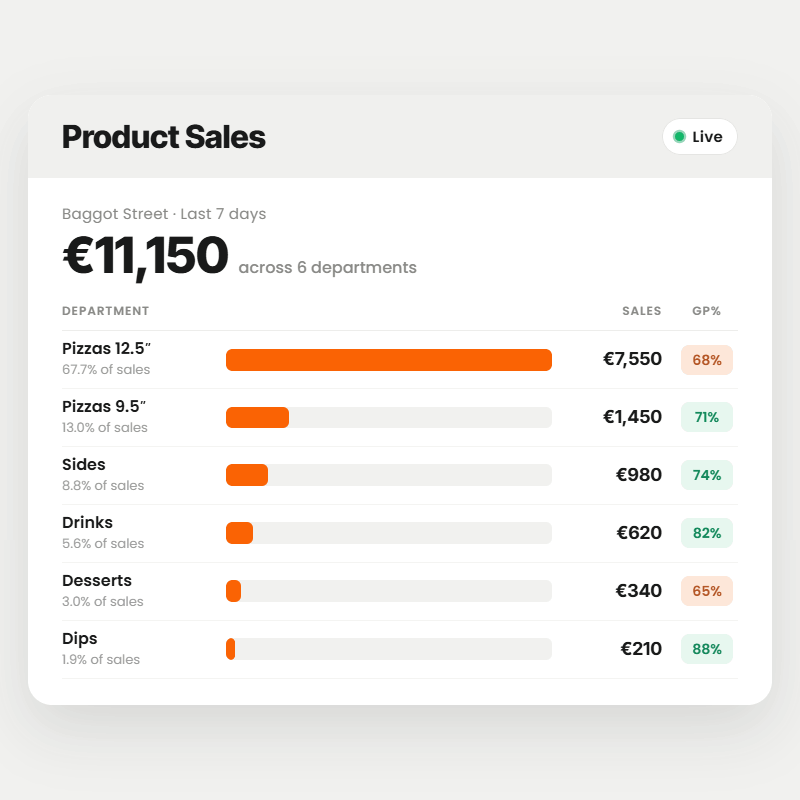
Boss It's KDS does not operate in isolation. It sits within a complete restaurant management platform, connecting kitchen operations directly to your POS, digital ordering channels, stock control, and sales reporting. Every order that passes through the kitchen updates your inventory in real time, feeds your sales data, and contributes to the reporting that drives operational decisions across your entire estate.
Why Restaurant Groups in the UK and Ireland Choose Boss It's Kitchen Display System
- Built for hospitality: not adapted from generic display software
- Every channel connected: POS, kiosk, app, website, and third-party delivery platforms all route to the KDS
- 40% faster order prep: and the kitchen capacity gains that come with it
- Zero missed orders: every order source consolidated into one kitchen display
- Multi-site ready: kitchen performance tracked and compared across every location
- Full platform integration: kitchen ops connected to stock, sales, and operations reporting
Who Uses Boss It's Kitchen Management System?
Boss It is trusted by restaurant operators across the UK and Ireland, including:
- Quick service restaurant (QSR) groups and chains with 3 or more locations
- Casual dining restaurants and restaurant groups
- Cafes and coffee shop chains
- Bars and pub groups
- Dark kitchens and ghost kitchen operators
- Franchise groups and multi-site operators
Ready to Transform Your Kitchen Operations?
Book a discovery call with our team to find out what Boss It can do for your business.
Frequently Asked Questions
What is a kitchen display system?
A kitchen display system (KDS) is a screen-based order management system mounted at kitchen stations that replaces printed tickets with a live digital feed of incoming orders. The best kitchen display systems prioritise tickets, split orders by station, connect to every ordering channel, and give operators real-time visibility of kitchen performance.
How does a kitchen display system improve restaurant efficiency?
A kitchen display system improves restaurant efficiency by routing orders directly to the relevant kitchen station the moment they are placed, eliminating the delays and errors caused by printed tickets and verbal communication. Customers using Boss It's KDS have reduced order prep time by 40%, nearly doubling kitchen capacity.
Does Boss It's kitchen display system work with third-party delivery platforms?
Yes. Boss It's KDS consolidates orders from every channel, including the POS, kiosks, branded app, direct website, Just Eat, Deliveroo, and Uber Eats, into a single kitchen display. Every order appears on the KDS the moment it is confirmed, regardless of which channel it came from.
Can Boss It's kitchen management system split orders by station?
Yes. Boss It's KDS automatically splits orders by station, routing different categories to the relevant screen. Each station sees only what it needs to see, allowing the kitchen to work in parallel rather than in sequence.
How does Boss It's KDS handle peak service periods?
During peak service, Boss It's KDS displays only the orders that need to be started, reducing screen clutter and keeping the kitchen focused. Orders are prioritised automatically, and delivery, collection, and table orders are filtered separately, giving each station a clean, relevant view of its workload at all times.
Does Boss It's kitchen display system work across multiple restaurant sites?
Yes. Boss It is built for multi-site restaurant groups. Kitchen performance data, including prep times and order completion rates, feeds back into the operations hub, giving operators visibility across every location and the ability to compare kitchen performance across sites.
How does Boss It's kitchen management system connect to the rest of the platform?
Boss It's KDS sits within a complete restaurant management platform. Every order that passes through the kitchen updates inventory in real time, feeds sales data into the reporting suite, and connects to the POS, digital ordering channels, and stock control, giving operators a fully joined-up view of their operation.
Is Boss It's kitchen display system suitable for QSRs, cafes, and casual dining?
How do I get started with Boss It's kitchen display system?
Visit bossithq.com to book a demo.