The Best POS System for Quick Service Restaurants: What QSR Operators Actually Need (And How to Find It)
TL;DR: The best QSR POS system is one built specifically for quick service – not adapted from a restaurant or retail product. Based on interviews with operators running 3 to 23 locations, the features that matter most are: unified ordering across all channels, own-fleet delivery management, KDS integration, native loyalty, multi-site reporting, and self-order kiosks. Operators who switched to a purpose-built platform reported a 30% increase in delivery orders, a 30% uplift in average order value via kiosk, and significantly reduced kitchen bottlenecks. The hidden cost isn’t switching – it’s staying on the wrong system too long.
If you run a quick service restaurant, you already know that choosing the wrong QSR POS system doesn’t just cause minor inconvenience – it can cost you customers, delivery orders, and the mental bandwidth you need to actually run your business.
We spoke with three QSR operators – running businesses ranging from a three-store family takeaway to a 23-location diner group – about what they’ve learned the hard way about choosing POS software. Their experiences point to the same hard truth: most systems look great in a demo and fall apart in the real world.
Here’s what separates a genuinely great QSR POS system from one that just looks the part.
Why Generic POS Systems Fail Quick Service Restaurants
Not all point-of-sale systems are built with the demands of QSR in mind. A system designed primarily for sit-down restaurants might look polished on the surface but lack the operational muscle that high-volume, multi-channel quick service requires.
The owner of a three-store family takeaway in Ireland experienced this first-hand. After switching from one provider to another in search of a better solution, he found that the software he’d chosen – a well-known platform with high-profile clients – simply wasn’t built for an operation like his.
“They had massive big-name clients, but they just didn’t care about small family businesses like ours. And the delivery functionality was nowhere near good enough – especially when 50% of one of our stores is reliant on deliveries.”
He’s not alone. The head of operations at a four-location wood-fired pizza group faced similar issues before switching:
“I just wasn’t happy with what we were getting. We had our own deliveries and it was just a nightmare. Wage costs were through the roof because we were sending deliveries out one by one, pretty much.”
The lesson? A QSR POS system needs to be designed for how quick service actually operates – fast volume, multiple order channels, own-fleet delivery, and lean staffing.
What to Look for in a QSR POS System
Based on real operator experience, here are the features that consistently make or break a QSR POS setup.
1. Fully Integrated Online and In-Store Ordering
The days of managing separate systems for your till, your website, your app, and your third-party delivery platforms are over – or at least they should be. Operators who use disjointed systems consistently describe the experience the same way: exhausting, error-prone, and slow.
The director of operations at a 23-location family diner group operating across Dublin put it plainly:
“Boss It was a system that gave us all of the features we required in one package and reduced the requirement to deal with a number of third parties.”
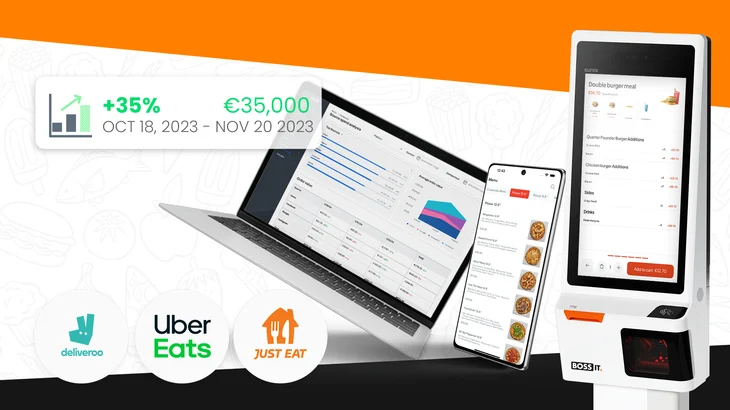
For the Dublin diner group, around 65% of customers order online, either through third-party platforms or their own app. Centralising all of those orders through a single channel manager has been transformational.
“With Boss It ‘s channel manager, it centralises all the orders and saves us a lot of time. With features like driver tracking and customer loyalty programs, we’ve seen an increase in orders coming directly to our own app – and this has helped us avoid high commission charges from third-party platforms.”
What to look for: A POS system that integrates directly with Just Eat, Deliveroo, Uber Eats, and your own ordering channels – and syncs everything into one screen, without manual workarounds.
2. Own-Fleet Delivery Management
If you run your own delivery drivers, this is non-negotiable. A QSR POS system that doesn’t have robust own-delivery functionality isn’t really built for your operation.
For the three-store takeaway operator, this was the decisive difference between his previous provider and Boss It:
“The driver tracking, the information that the customer can receive about how long their order is going to take – you can change that dynamically on the Boss It system, minute by minute if you need to. The previous one was kind of preset. You couldn’t change it like that.”
The result? A 30% increase in delivery orders since switching.
The pizza group’s head of operations saw an equally dramatic shift. Before adopting Boss It’s driver waiting room and delivery grouping tools, orders were going out one by one with no coordination.
“We can now see all of our deliveries pop up on the map and group them together. They’re colour-coded so the chefs know exactly what they’re making and when. This resulted in reducing our drivers’ wages significantly and made sure all deliveries arrive on time.”
What to look for: Real-time driver tracking, dynamic wait time management, delivery grouping, and a customer-facing app that keeps buyers informed throughout.
3. Kitchen Display System (KDS) Integration
A QSR POS system is only as good as what happens between the order being placed and the food going out the door. That’s where a well-integrated KDS makes all the difference.
The pizza group’s head of operations describes how the Boss It KDS unlocked kitchen capacity:
“Before, we were capped at a certain amount of pizzas. Since we implemented the KDS, we’ve completely surpassed that – we’re doing more orders, and they’re coming out fresher and faster than ever before. It’s completely stopped all of our bottlenecks.”
A strong KDS doesn’t just display orders – it integrates with delivery grouping, filters by station (hot food, cold drinks, desserts), and helps kitchen teams prioritise without confusion.
What to look for: A KDS that talks directly to your POS and third-party platforms, supports multi-station filtering, and integrates with your delivery workflow.
4. Customer Loyalty That Actually Drives Repeat Orders
Stamp cards and generic loyalty programmes aren’t enough to build real retention. The best QSR POS systems include points-based loyalty that’s intuitive for customers and visible in real time.
The three-store takeaway operator saw measurable impact from switching to a points-based system:
“Customers are receiving loyalty points from us, which is making them happier. Rather than loyalty stamps, it’s easy to understand – you see how many points you have, you equate that to a euro value.”
The Dublin diner group echoed this, noting improvements in both repeat order rates and average order value since activating loyalty tools.
What to look for: A loyalty programme built natively into your POS and app – not bolted on as an afterthought – with tiered rewards and the ability to run targeted re-engagement campaigns.
5. Analytics and Reporting That Drive Real Decisions
Knowing your numbers is non-negotiable in QSR, where wage margins and gross margin can make or break a week. The best QSR POS systems give operators granular visibility – by site, by channel, by week – without needing to wrestle with spreadsheets.
The three-store operator tracks sales week on week, wage margin week on week, and delivery volumes per store. Boss It’s reporting gives him that data at a glance.
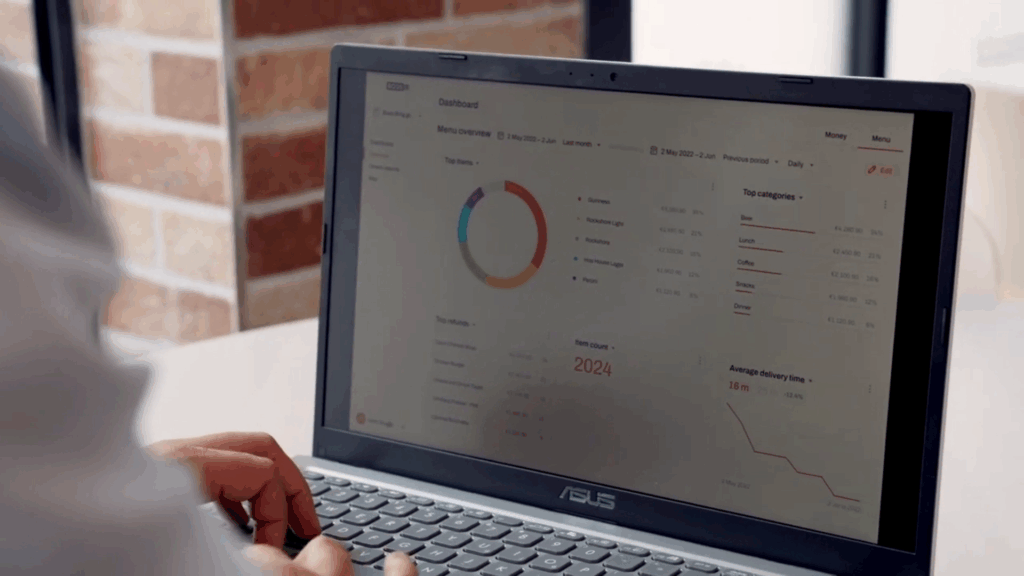
For the 23-location diner group, access to real-time data across all sites changed what was operationally possible:
“The Boss It back office system has given us much greater control across different sites. We’ve seen massive improvements in efficiency from areas such as stock control and financial management in every single site.”
What to look for: Multi-location reporting, P&L visibility, delivery performance breakdowns, staff wage data, and product-level sales reports – all in one dashboard.
6. A Self-Order Kiosk That Increases Average Order Value
For QSRs with dine-in or collection traffic, a kiosk isn’t just a nice-to-have – it’s a proven revenue driver.
The Dublin diner group has seen upwards of a 30% increase in average order value since introducing Boss It kiosks. And beyond the revenue impact, there’s an operational benefit too:
“The kiosk has been great for lessening the demand on our staff, especially during peak hours. It allows them to focus on other tasks, which enhances the customer experience.”
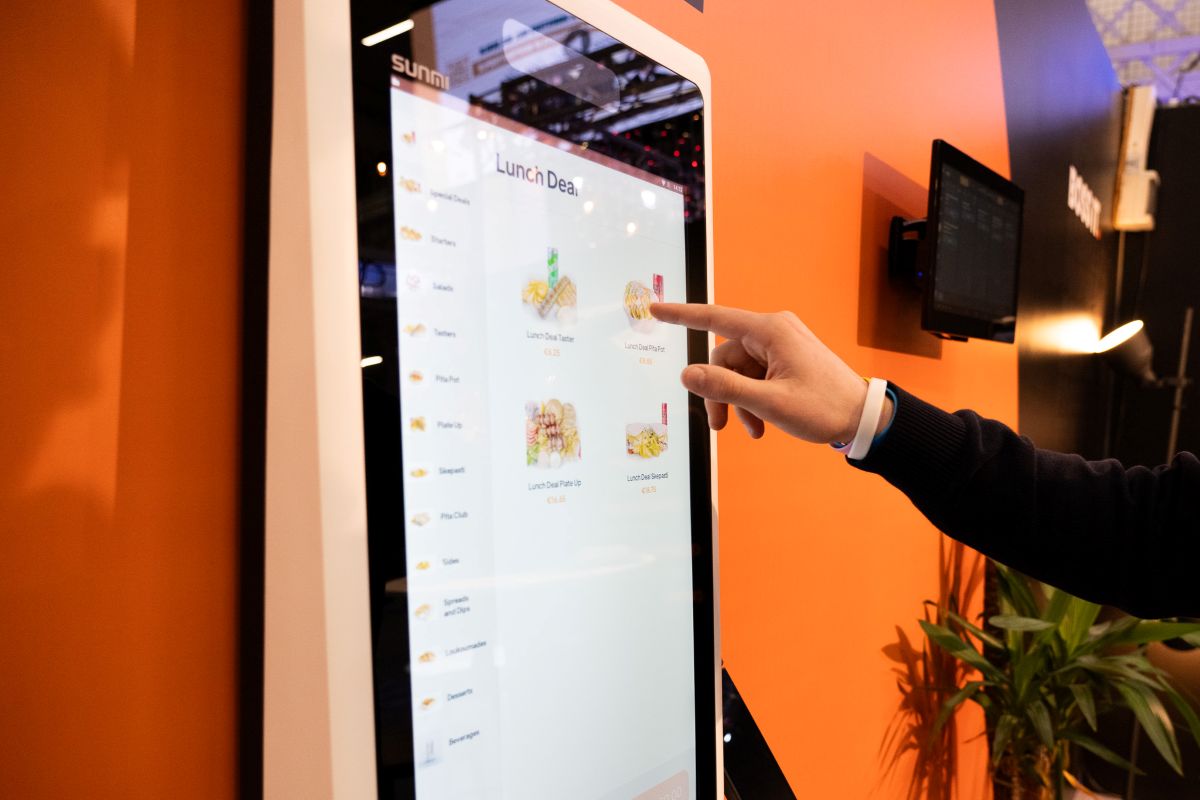
What to look for: An integrated kiosk that supports upselling prompts, syncs with your menu in real time, and reduces pressure on front-of-house staff during peak periods.
The Hidden Cost of Switching (And Why It’s Worth It Anyway)
The three-store takeaway operator moved providers twice in a single year – and still says switching to Boss It was absolutely the right call.
“Moving provider is no easy feat. But since we left the previous system and went to Boss It, our delivery numbers have dramatically increased and our customer retention has increased because of the points system. And from a customer service perspective, you’re dealing with a company that actually picks up the phone.”
The key factors that made his second migration worth it: a smoother onboarding process, genuine responsiveness from the support team, and software that was built for his type of operation – not adapted from something designed for a different market.
The diner group experienced the same:
“The system operating platform from the get-go was very simple to use, and the training and onboarding proved much easier than we’d even planned.”
What the Best QSR POS System Looks Like in Practice
Based on everything operators told us, the best POS system for a quick service restaurant isn’t the flashiest or the most famous – it’s the one that’s been designed from the ground up for how QSRs actually operate.
That means:
- A single platform that handles POS, online ordering, kiosk, delivery, loyalty, and reporting
- Delivery tools built for own-fleet operations, not just third-party aggregators
- A KDS that unlocks kitchen capacity rather than just displaying tickets
- Real-time data across every site, not delayed reports from disconnected systems
- A support team that treats independent operators as seriously as their biggest clients
If any of those sound familiar – because your current system doesn’t deliver them – it might be time to take a closer look at what a purpose-built QSR POS system can do for your business.
Ready to Boss It? Take our product tour.
Key Takeaways
- Generic POS systems weren’t built for QSR. Platforms designed for sit-down dining or retail often lack the delivery tools, channel management, and speed that quick service demands – no matter how polished they look in a demo.
- Own-fleet delivery is a dealbreaker feature. If you run your own drivers, your POS needs real-time driver tracking, dynamic wait time controls, and delivery grouping built in – not patched on. Operators have seen delivery orders increase by 30% after switching to a system that handles this properly.
- A channel manager eliminates the multi-device juggle. With up to 65% of QSR orders coming in online, consolidating Just Eat, Deliveroo, Uber Eats, and your own app into one screen isn’t a luxury – it’s a necessity.
- KDS integration removes kitchen bottlenecks. A well-integrated kitchen display system doesn’t just show orders – it coordinates them, colour-codes them by delivery group, and helps kitchens handle higher volume without chaos.
- Native loyalty beats bolt-on programmes. Points-based loyalty built into the POS and app drives repeat orders and makes customers feel genuinely rewarded – without the friction of stamp cards or third-party integrations.
- Self-order kiosks reliably lift average order value. Operators using Boss It kiosks have seen upwards of a 30% increase in average order value, while simultaneously reducing front-of-house pressure at peak times.
- Switching costs are real, but staying on the wrong system costs more. Operators who delayed switching reported lost delivery volume, declining retention, and mounting frustration. Onboarding with the right provider proved faster and easier than expected.
Frequently Asked Questions
A QSR POS system (quick service restaurant point of sale system) is the software and hardware that powers order taking, payment processing, and operational management in a fast food or quick service environment. Unlike standard retail POS systems, a QSR POS is designed for high transaction volumes, multi-channel ordering (in-store, online, kiosk, delivery), kitchen coordination, and speed – all at the same time.
A regular restaurant POS is typically built around table management, course ordering, and dine-in service. A QSR POS prioritises speed, throughput, and multi-channel order management – handling delivery platforms, self-order kiosks, phone orders, and in-store tills simultaneously. QSRs also tend to rely more heavily on own-fleet delivery and loyalty programmes, which require specialised tools that general restaurant POS systems often lack.
The most important features for a quick service restaurant POS are: unified channel management (aggregating orders from Just Eat, Deliveroo, Uber Eats, and your own channels), own-fleet delivery management with real-time driver tracking, kitchen display system (KDS) integration, a native customer loyalty programme, multi-location reporting and analytics, self-order kiosk support, and staff management tools including clock-in/clock-out and scheduling.
Pricing varies significantly depending on the provider, the size of your operation, and which modules you need. Most modern QSR POS platforms are subscription-based, with costs scaling by the number of locations and features activated. To get accurate pricing for your operation, it’s best to speak directly with a provider like Boss It, who can tailor a package to your needs.
Yes – the best QSR POS systems integrate directly with major third-party delivery platforms and consolidate all incoming orders into a single interface. This eliminates the need for separate devices per platform and reduces errors from manual order entry. Boss It’s channel manager handles this natively, syncing menu updates and order management across all platforms in real time.
Migration timelines vary, but operators working with Boss It have consistently reported that onboarding was faster and smoother than expected – even when switching from an existing system mid-operation. The key factors are the quality of the onboarding support, the complexity of your menu setup, and whether you’re migrating customer data and loyalty history. A dedicated onboarding team makes a significant difference.
For QSRs with dine-in or collection traffic, yes – consistently. Operators using Boss It kiosks have seen average order values increase by 30% or more, driven by upsell prompts at the point of order. Kiosks also reduce pressure on counter staff during peak periods, allowing them to focus on fulfilment and customer experience rather than order taking.